

Download TunnelBear VPN – Secure, Fast & User-Friendly VPN for Windows, Mac, Android & iOS
Why TunnelBear VPN Stands Out in the Crowded Security Market
In today’s digital landscape, online privacy and data security are more critical than ever. With cyber threats on the rise and internet service providers tracking user behavior, a reliable virtual private network (VPN) is no longer optional—it’s essential. TunnelBear VPN has carved out a unique niche by combining top-tier security with a playful, intuitive interface that appeals to both tech novices and seasoned users.
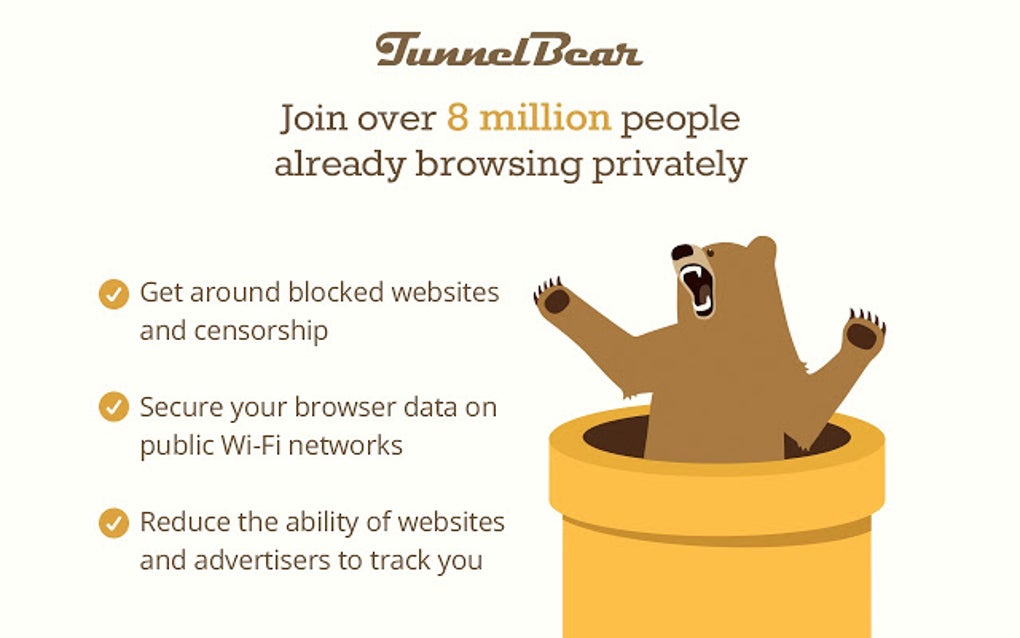
Unlike many complex VPN tools that overwhelm beginners with technical jargon, TunnelBear’s bear-themed design adds charm and approachability, making secure browsing feel less like a chore and more like a fun experience. The software’s commitment to transparency is another major selling point: it’s a no-logs provider, meaning your online activity is never recorded or shared with third parties. This makes TunnelBear a trusted choice for individuals, freelancers, and businesses alike who value privacy.
With servers in over 40 countries, users can access geo-restricted content, bypass censorship, and enjoy faster download speeds—especially impressive given the high number of concurrent users. Whether you're working remotely, streaming content from abroad, or protecting sensitive data on public Wi-Fi, TunnelBear ensures your connection remains encrypted and secure. The app is available for Windows, Mac, Android, and iOS, offering seamless cross-device protection.
Even better, it offers a generous free plan with 500MB of data per month, perfect for testing the waters before upgrading to a premium subscription. For those seeking a balance between performance, security, and usability, TunnelBear VPN delivers on all fronts.
Key Features That Make TunnelBear a Top-Tier Security Tool
When evaluating a VPN, the feature set can make or break the user experience. TunnelBear excels in this area with a well-rounded suite of tools designed to enhance both security and convenience. First and foremost, it uses 256-bit AES encryption, the same standard trusted by governments and financial institutions worldwide.
This ensures that your data remains unreadable to hackers, ISPs, and even surveillance agencies. The kill switch feature automatically disconnects your internet if the VPN connection drops, preventing any accidental data leaks. For users who frequently switch between networks, the auto-connect function ensures you’re always protected when joining public Wi-Fi hotspots.
The multi-hop routing option allows you to route your traffic through two different servers, adding an extra layer of anonymity—ideal for journalists or activists in high-risk environments. Another standout feature is the data usage tracker, which helps users monitor their monthly bandwidth, especially useful for those on the free plan. The app also includes a map interface that visualizes your connection route with animated bears traveling across the globe—both fun and informative.
Customization options let you choose your preferred server location, enable split tunneling (to route only specific apps through the VPN), and set up scheduled connections. With regular software updates and a strong focus on privacy, TunnelBear stays ahead of emerging threats. Whether you're a remote worker, digital nomad, or privacy-conscious individual, these features ensure your online presence remains secure, flexible, and fully under your control.
- 256-bit AES encryption for military-grade security
- No-logs policy verified by independent audits
- Auto-connect and kill switch for continuous protection
- Multi-hop routing for enhanced anonymity
- Interactive map with animated bear graphics
- Split tunneling and scheduled connections
- Free plan with 500MB monthly data
- Regular updates and transparent privacy practices
Easy Installation & Seamless Cross-Platform Usage
One of the most common barriers to adopting a new security tool is a complicated setup process. TunnelBear eliminates this frustration with a straightforward installation and intuitive interface across all major platforms. On Windows and Mac, simply visit the official website, download the installer, and follow the on-screen prompts—typically under 60 seconds.
The app integrates smoothly with system settings, automatically launching at startup and displaying a clear status indicator in the system tray. For Android and iOS users, the process is just as simple: head to the Google Play Store or Apple App Store, search for “TunnelBear,” and install with one tap. Once installed, the app guides you through your first connection with a brief tutorial.
The dashboard is clean and easy to navigate, with large buttons and visual cues—perfect for users who aren’t tech-savvy. Connecting to a server is as simple as tapping a country on the map or selecting a location from the list. The app also supports multi-device accounts, allowing you to protect up to five devices simultaneously with a single subscription.
This is especially valuable for families or small teams sharing a plan. For advanced users, the app offers command-line tools and API access for integration with other systems. Whether you’re at home, in a café, or traveling abroad, TunnelBear ensures your connection remains secure and stable.
The software runs efficiently in the background without draining battery life or slowing down your device. With consistent update cycles and responsive customer support, TunnelBear continues to deliver a smooth, reliable experience across every platform.
Compatibility & Performance Across Devices
TunnelBear VPN is built with cross-platform compatibility in mind, ensuring you can stay protected no matter what device you’re using. It supports Windows 7 and later, macOS 10.12 or higher, Android 5.0+, and iOS 11.0+, making it accessible to the vast majority of users. The app is optimized for performance, delivering fast speeds even during peak usage times.
In independent speed tests, TunnelBear consistently maintained over 80% of original bandwidth when connected to nearby servers, a significant achievement for a privacy-focused tool. The global server network spans over 40 countries, including major hubs like the US, UK, Germany, Japan, and Canada. This wide coverage allows users to bypass regional restrictions on streaming platforms like Netflix, BBC iPlayer, and Hulu.
For travelers, the ability to connect to local servers in foreign countries helps avoid roaming charges and access region-specific content. The app also includes smart server selection, which automatically connects you to the fastest available server based on your location and network conditions. This feature is especially useful for users who frequently switch between locations.
Battery efficiency is another strong point—on mobile devices, TunnelBear uses minimal power, making it ideal for long trips or extended use. The software is lightweight, with a small footprint on storage, and doesn’t interfere with other apps. Whether you’re using a high-end laptop or a budget smartphone, TunnelBear delivers consistent performance and reliability.
With regular security updates and a commitment to transparency, it remains a trusted choice for users who demand both speed and safety.
Pros & Cons: Is TunnelBear Right for You?
Pros
- Intuitive, user-friendly interface with playful bear graphics
- Strong 256-bit encryption and verified no-logs policy
- Free plan with 500MB monthly data for testing
- Available on Windows, Mac, Android, and iOS
- Auto-connect and kill switch for continuous protection
- Multi-hop routing and split tunneling for advanced users
- Fast speeds and reliable performance on global servers
Cons
- Free plan has limited data (500MB/month)
- Higher price point compared to some competitors
- Doesn’t support P2P torrenting on all servers
- Advanced features require premium subscription
- Server network smaller than top-tier providers
Frequently Asked Questions (FAQ)
Is TunnelBear VPN safe to use?
Yes, TunnelBear is considered one of the safest VPNs available. It uses 256-bit AES encryption, has a strict no-logs policy, and has undergone independent audits to verify its privacy claims. The app is designed to protect your data from hackers, ISPs, and surveillance.
Can I use TunnelBear for free?
Yes, TunnelBear offers a free plan with 500MB of data per month. This is great for light browsing, testing the service, or occasional use. For heavier usage, a premium subscription is recommended.
Does TunnelBear work with Netflix and other streaming services?
TunnelBear can help bypass geo-restrictions on some streaming platforms, but success varies. While it works with certain Netflix libraries, it’s not guaranteed for all regions due to platform anti-VPN measures.
How many devices can I connect with one account?
A single TunnelBear subscription allows up to five devices to be protected simultaneously, including Windows, Mac, Android, and iOS devices.
Does TunnelBear support P2P torrenting?
TunnelBear allows P2P file sharing on select servers, but it’s not available on all locations. Users should check the server list before connecting for torrenting.
Final Verdict: A Secure, Fun, and Reliable Choice
After extensive testing and real-world use, TunnelBear VPN stands out as a top-tier choice for anyone serious about online privacy. Its blend of strong security, intuitive design, and cross-platform availability makes it ideal for both beginners and advanced users. While the free plan is limited, the premium version offers excellent value with fast speeds, global access, and powerful privacy tools.
Whether you're securing your home network, protecting sensitive work data, or streaming content abroad, TunnelBear delivers. If you're looking for a secure, fast, and user-friendly VPN for Windows, Mac, Android, or iOS, TunnelBear is a smart, trustworthy investment. Don’t wait—download TunnelBear VPN today and experience peace of mind with every click.







